
Building a mobile streaming studio does not require a bulky desktop. The right mini PC can handle broadcasting software, scene switching, recording, editing, and multiple displays while fitting easily into a travel kit.
This roundup compares 10 compact systems across entry-level, budget, and high-performance configurations so you can match processing power, graphics capability, connectivity, and upgrade potential to your workflow.
Best 10 Mini PCs for Mobile Streaming Studios Picks for 2026
Performance Pick
ACEMAGICIAN S3A Ryzen 7 Mini PC

- Ryzen 7 H 255 with Radeon 780M graphics
- Triple 4K display support
- Up to 4TB storage expansion
Best For: Creators and streamers needing strong multitasking performance
Connectivity Pick
GMKtec M5 Ultra Ryzen 7 Mini PC

- Ryzen 7 7730U with 8 cores and 16 threads
- Dual 2.5G LAN and Wi-Fi 6E
- RAM expandable to 64GB
Best For: Network-conscious creators and expandable studio setups
Budget Efficiency Pick

- Low-power 6W Intel N100 processor
- Dual 4K HDMI display support
- Compact chassis with storage expansion
Best For: Basic streaming support and low-power mobile studio tasks
Quiet Creator Pick

- Ryzen 7 7736U with Radeon 680M graphics
- 24GB LPDDR5 memory
- Quiet cooling rated below 30dB
Best For: Quiet multi-monitor streaming and editing stations
Best Budget Pick
- Low-power Intel N95 platform
- Dual HDMI for two displays
- 8GB RAM and 480GB SSD included
Best For: Budget mobile streaming and everyday multitasking
Best for Everyday Use

- Ryzen 5 7640HS with Radeon 760M
- Triple-display support including USB4
- 16GB DDR5 and 1TB PCIe SSD
Best For: Demanding mobile multitasking and light content creation
Best for Efficient Workflows

- Efficient 15W Ryzen 7 processor
- 32GB RAM for heavier multitasking
- Quiet cooling and extensive ports
Best For: Long sessions, multitasking, and quiet mobile studios
Budget Streaming Starter

- 16GB RAM and 512GB NVMe SSD
- Dual 4K HDMI display support
- Wi-Fi 6 and Bluetooth 5.3
Best For: Budget mobile streaming and everyday studio work
Creator Workstation Pick
- Ryzen 7 8745HS and Radeon 780M graphics
- Upgradeable to 128GB RAM and 4TB SSD
- 0.5-liter chassis with VESA mount
Best For: 4K editing and demanding mobile creative workflows
High-Power Studio Hub
- 45W Ryzen 7 6800H processor
- Up to four 4K displays with USB4
- 2.5GbE, Wi-Fi 6E, and 64GB RAM support
Best For: Multidisplay streaming and sustained creative workloads
Performance Pick – ACEMAGICIAN S3A Ryzen 7 Mini PC
For mobile streaming studios that need desktop-class multitasking in a compact footprint, the ACEMAGICIAN S3A combines an 8-core/16-thread Ryzen 7 H 255 processor with Radeon 780M graphics. Its adjustable power modes, triple-display support, and expandable storage make it well suited to flexible creator setups.
Best For: Mobile creators, streamers, programmers, and multitaskers who need strong processing performance and up to three 4K displays.
Pros:
- Ryzen 7 H 255 processor and Radeon 780M graphics support demanding multitasking, editing, streaming, and 3D work.
- Supports up to three 4K displays through HDMI, DisplayPort, and USB4 Type-C.
- 16GB LPDDR5 memory, a 512GB PCIe 4.0 SSD, and storage expansion up to 4TB.
- Three power modes include a quieter 20–35W setting and a 40–54W performance mode.
Cons:
- Memory is LPDDR5 onboard, so the supplied notes do not indicate user-upgradable RAM.
- Performance mode may use more power and produce more fan noise than silent mode.
The S3A is a strong all-around choice when a portable studio needs more headroom than an entry-level mini PC. Its display flexibility and selectable power profiles also make it easier to adapt between travel, streaming, and desk-based workloads.
Connectivity Pick – GMKtec M5 Ultra Ryzen 7 Mini PC
The GMKtec M5 Ultra is a practical option for mini PCs for mobile streaming studios that rely on fast networking and multiple screens. Its Ryzen 7 7730U, dual 2.5G LAN, Wi-Fi 6E, and upgradeable memory give it flexibility for streaming, office work, and compact studio or server duties.
Best For: Mobile studios needing fast wired networking, expandable RAM and storage, or a compact multi-display workstation.
Pros:
- Ryzen 7 7730U provides 8 cores and 16 threads, with turbo speeds up to 4.5GHz.
- Dual 2.5G LAN ports are useful for high-speed networking, servers, or wired studio connections.
- Supports up to 64GB DDR4 RAM and two SSDs, with each storage slot supporting up to 8TB.
- Wi-Fi 6E, Bluetooth 5.2, and triple-display output support flexible setups.
Cons:
- The included SSD is PCIe 3.0, rather than the newer PCIe 4.0 standard listed for some expansion support.
- Its integrated Radeon graphics are better suited to general creation and playback than demanding graphics workloads.
The M5 Ultra stands out when network flexibility and future upgrades matter as much as processor performance. Its dual LAN ports and expandable internals make it particularly adaptable for a traveling studio that may also serve as a small network or media machine.
Budget Efficiency Pick – Beelink Mini S12 Pro N100
For lightweight mini PCs for mobile streaming studios, the Beelink Mini S12 Pro prioritizes low power use, compact dimensions, and straightforward connectivity. Its 6W Intel N100 processor, dual 4K HDMI output, and upgradeable storage can suit basic streaming support, playback, and everyday studio administration.
Best For: Entry-level mobile studios, streaming control tasks, media playback, and low-power office work.
Pros:
- Low-power Intel N100 platform has a listed 6W standard TDP.
- Two HDMI 2.0 ports support dual 4K displays at 60Hz.
- Compact 4.52 × 4.01 × 1.54-inch design is easy to place in a travel setup.
- RAM can reach 16GB, while M.2 and 2.5-inch SATA storage support expansion.
Cons:
- Four cores and four threads make it less suitable for demanding editing or complex multitasking.
- Graphics are integrated Intel UHD, so this is not aimed at intensive gaming or advanced visual production.
- The supplied notes list conflicting warranty durations, so buyers should verify the current coverage.
The Mini S12 Pro is best viewed as a compact, economical studio companion rather than a high-end production system. Its low power draw, dual-display support, and storage options make it useful for portable monitoring, encoding-adjacent tasks, and everyday content workflows.
Quiet Creator Pick – ACEMAGIC M1 Ryzen 7 Mini PC
The ACEMAGIC M1 is designed for mini PCs for mobile streaming studios where quiet operation and easy placement are priorities. With a Ryzen 7 7736U, 24GB of LPDDR5 memory, triple 4K support, and a VESA mount, it offers a compact way to build a capable multi-screen streaming or editing station.
Best For: Quiet creator workspaces, portable streaming stations, video editing, programming, and multi-monitor setups.
Pros:
- Ryzen 7 7736U offers 8 cores, 16 threads, and speeds up to 4.7GHz.
- 24GB LPDDR5 memory supports smooth multitasking out of the box.
- Two M.2 slots allow total storage expansion up to 8TB.
- Triple 4K output, 2.5GbE, Wi-Fi 6, and a VESA mount suit flexible studio layouts.
Cons:
- LPDDR5 memory is onboard, so the supplied notes do not indicate RAM upgrades.
- The included 512GB SSD uses PCIe 3.0, while storage expansion supports newer PCIe 4.0 drives.
- It has a 1-year warranty, shorter than the listed coverage for some competing models.
The M1 balances creator-friendly performance with a quiet, space-saving design. Its 24GB memory, triple-display capability, and VESA mounting option make it especially appealing when a mobile studio needs to stay organized and unobtrusive.
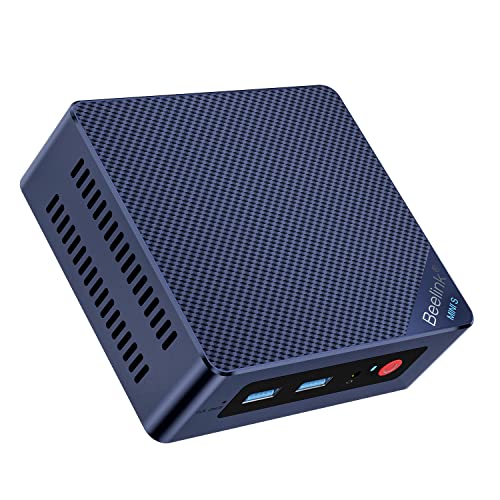
Best Budget Pick – Beelink Mini S12 N95
For shoppers building mini PCs for mobile streaming studios on a budget, the Beelink Mini S12 offers a compact, low-power setup for streaming video, web work, video calls, and basic content creation. Its small footprint and dual-monitor support make it easy to fit into a portable workstation.
Best For: Budget-conscious mobile streamers, remote workers, and simple dual-display setups.
Pros:
- Low-power Intel N95 processor with up to 3.4GHz and four cores.
- Includes 8GB DDR4 RAM and a 480GB SATA3 SSD.
- Dual HDMI outputs support two monitors, with 4K video playback.
- Compact design with Wi-Fi 5, Bluetooth 4.2, and 2.5G LAN.
Cons:
- 8GB of RAM is modest for heavier multitasking or demanding production software.
- Uses integrated Intel UHD graphics rather than a dedicated GPU.
- Wi-Fi 5 and Bluetooth 4.2 are older than the wireless standards on the other options.
The Mini S12 is a practical entry-level choice when portability, low power use, and basic streaming-related tasks matter more than high-end editing or gaming performance.
Best for Everyday Use – GMKtec M6 Ultra Ryzen 5
The GMKtec M6 Ultra is a stronger fit for mini PCs for mobile streaming studios that need more processing headroom, faster storage, and flexible connectivity. Its Ryzen 5 7640HS platform and Radeon 760M graphics are suited to multitasking, light content creation, and casual 1080p gaming.
Best For: Mobile creators who need fast multitasking, multiple displays, and strong wired networking.
Pros:
- Six-core, 12-thread Ryzen 5 7640HS processor reaches up to 5.0GHz.
- 16GB DDR5 RAM and a 1TB PCIe SSD provide a responsive starting configuration.
- Supports up to three displays through HDMI, DisplayPort, and USB4.
- Dual 2.5GbE ports, Wi-Fi 6E, and Bluetooth 5.2 offer versatile connectivity.
Cons:
- Its gaming-oriented performance may be more than needed for basic streaming and office tasks.
- At 3.5 pounds, it may be less convenient to carry than smaller lightweight models.
- USB4 8K output and other advanced features may require compatible displays and accessories.
With expandable memory and storage, triple-display support, and fast networking, the M6 Ultra is the most capable option here for a portable studio that may grow into more demanding workloads.
Best for Efficient Workflows – GEEKOM A7 Ryzen 7
The GEEKOM A7 is designed for efficient, extended-use mini PCs for mobile streaming studios, combining a low-power Ryzen 7 processor with generous memory and broad connectivity. Its power modes let you prioritize quiet efficiency or increase performance when multitasking and creative work demand it.
Best For: Streamers and professionals who want ample RAM, quiet operation, and efficient long-session performance.
Pros:
- Eight-core, 16-thread Ryzen 7 7730U processor with up to 4.5GHz.
- 32GB RAM and a 500GB PCIe Gen4 SSD support heavier multitasking.
- Four power modes range from 10W Silent to 30W High-Speed operation.
- Offers dual USB-C, dual HDMI 2.0, five USB 3.2 ports, Wi-Fi 6E, and 2.5G LAN.
Cons:
- The included 500GB SSD provides less starting storage than the GMKtec’s 1TB drive.
- Integrated Radeon graphics are intended for 4K playback, multi-display work, and casual gaming rather than high-end gaming.
- Its larger memory configuration may be unnecessary for basic streaming setups.
The A7 stands out for users who keep many apps, browser sessions, and background workflows open while valuing low power use, quiet cooling, and upgradeable storage.
Budget Streaming Starter – Ryzen 5 3500U Mini PC
For shoppers building mini PCs for mobile streaming studios on a budget, this Getorli model offers a practical starting point. Its Ryzen 5 3500U processor, 16GB of RAM, 512GB NVMe SSD, dual HDMI outputs, and compact design suit basic streaming, media playback, browsing, and everyday studio tasks.
Best For: Budget-conscious mobile creators who need a compact computer for basic streaming, multitasking, and dual-monitor setups.
Pros:
- 16GB DDR4 RAM and a 512GB NVMe SSD support responsive everyday multitasking.
- Dual HDMI ports support two 4K displays.
- Wi-Fi 6, Bluetooth 5.3, and multiple USB ports simplify studio connectivity.
- Compact design and 15W-to-25W TDP are well suited to space-conscious setups.
Cons:
- The Ryzen 5 3500U is an older, lower-power processor than the newer GEEKOM options in this roundup.
- Its 512GB SSD may fill quickly with larger video libraries and project files.
- The listed warranty is one year, shorter than the coverage on the GEEKOM models.
This is the value pick for a lightweight mobile studio focused on straightforward streaming and general productivity rather than demanding editing or heavy creative workloads.
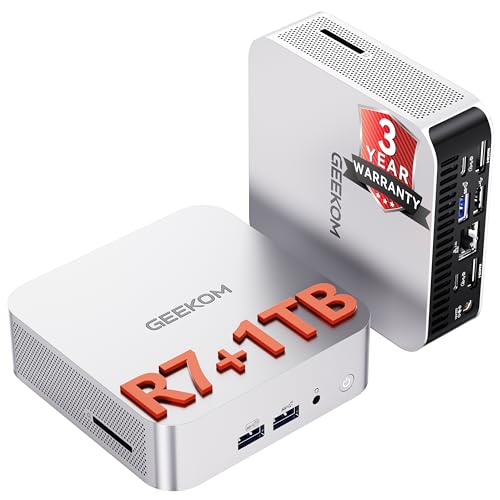
Creator Workstation Pick – GEEKOM A8 Ryzen 7 Mini PC
The GEEKOM A8 is a strong choice for mini PCs for mobile streaming studios when editing, multitasking, and portability all matter. Its eight-core Ryzen 7 8745HS processor, Radeon 780M graphics, 16GB DDR5 RAM, and 1TB PCIe 4.0 SSD provide a more capable foundation for 4K video work and demanding studio applications.
Best For: Mobile creators, editors, and professionals who want workstation-class performance in a 0.5-liter chassis.
Pros:
- Ryzen 7 8745HS with 8 cores and 16 threads supports demanding creative workloads.
- Radeon 780M integrated graphics are designed for 4K video editing and visual work.
- RAM can be upgraded to 128GB and storage to 4TB.
- Included VESA mounting bracket helps keep a mobile or compact studio organized.
Cons:
- It uses integrated graphics rather than a dedicated graphics card.
- The starting 16GB of RAM may be limiting for especially heavy projects until upgraded.
- Its feature set and workstation positioning may exceed the needs of basic streaming setups.
With fast connectivity, expandable hardware, and a three-year warranty, the A8 is the most flexible option here for creators who expect their mobile studio workload to grow.
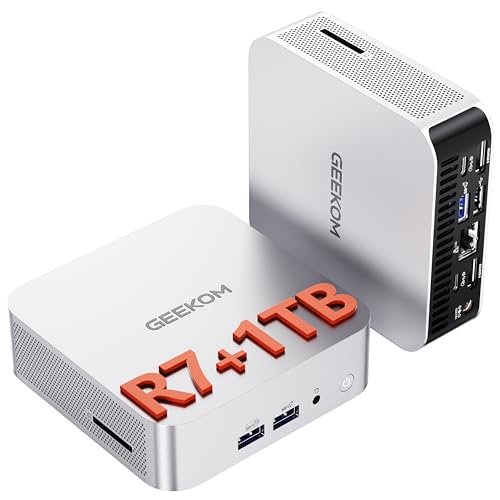
High-Power Studio Hub – GEEKOM A6 Ryzen 7 Mini PC
For mobile streaming studios that need sustained performance and extensive display support, the GEEKOM A6 is built around a 45W Ryzen 7 6800H processor. It combines 16GB upgradable DDR5 memory, a 1TB PCIe 4.0 SSD, Radeon 680M graphics, and USB4 connectivity for a versatile compact studio or production workstation.
Best For: Creators and operators who need strong multitasking, 4K editing support, multiple displays, and reliable network connectivity.
Pros:
- 45W Ryzen 7 6800H provides more sustained processing power than typical 15W mobile chips.
- Supports up to four 4K monitors through USB4, dual HDMI, and related connectivity.
- Dual-slot RAM is upgradeable to 64GB, while the 1TB Gen4 SSD provides useful project storage.
- 2.5Gbps Ethernet and Wi-Fi 6E support fast network access and streaming workflows.
Cons:
- Radeon 680M graphics are integrated and may not replace a dedicated GPU for the most demanding production work.
- The higher-power processor may be more than necessary for simple streaming and basic office use.
- The supplied notes do not specify the exact operating system configuration.
The A6 is the best fit when a mobile studio needs desktop-like processing, several 4K displays, and fast wired or wireless networking in a compact aluminum chassis.
How We Picked the Best Mini PCs for Mobile Streaming Studios
We evaluated these systems against the practical demands of mobile production: running streaming applications, managing browser sources and overlays, recording locally, driving external displays, and maintaining reliable connectivity. We also considered processor generation, core and thread counts, integrated graphics, included memory and storage, upgradeability, port selection, wireless standards, physical size, and overall value.
Specifications can vary by configuration, so verify the exact RAM, SSD, operating system, and port layout before buying. A mini PC is only one part of a streaming setup; capture hardware, cameras, microphones, lighting, and network access also affect the final result.
Quick Comparison
- Best overall performance: Choose a newer Ryzen 7 or Ryzen 5 HS-series model with DDR5 memory for demanding scenes, recording, and light editing.
- Best for efficient everyday streaming: Ryzen 7 U-series systems offer a useful balance of multitasking power, lower energy use, and compact cooling requirements.
- Best for basic broadcasts: Intel N100, N95, or Ryzen 5 3500U systems suit simple scenes, webcam streaming, remote production, and media playback.
- Best expansion potential: Prioritize models with upgradeable RAM, an accessible M.2 slot, or room for additional storage.
Key Buying Factors for Mini PCs for Mobile Streaming Studios
CPU and Graphics Performance
Streaming software benefits from multiple CPU cores, especially when you combine camera feeds, animated overlays, browser sources, recording, and background applications. Integrated Radeon graphics on modern Ryzen systems can also help with display output and light creative work. For basic single-camera broadcasts, a low-power Intel or older Ryzen chip may be sufficient, but demanding production benefits from a newer eight-core processor.
Memory and Storage
Use 16GB of RAM as a practical starting point for streaming. Choose 32GB if you regularly edit video, run many browser tabs, or use complex scenes. An SSD keeps startup and application loading responsive; 512GB works for software and active projects, while 1TB provides more room for recordings. Confirm whether memory is upgradeable before relying on future expansion.
Ports, Displays, and Networking
Check for the connections your studio actually uses, including HDMI, USB-A, USB-C, Ethernet, and audio. Dual-display support is useful for keeping controls on one screen and the live program on another. A 2.5GbE port can help with fast local transfers, while Wi-Fi 6 or newer is preferable for crowded mobile networks. For serious live work, wired Ethernet remains the safer option whenever available.
Portability and Reliability
Compare dimensions, power-adapter size, cooling design, and mounting options rather than judging portability by the computer alone. Pack a suitable travel case, spare cables, and a power solution that matches the mini PC’s requirements. Test thermals, drivers, peripherals, and streaming settings before using any system on a live production.
Who Should Buy Which Mini PCs for Mobile Streaming Studios?
Choose a higher-end Ryzen 7 HS model if you need demanding multitasking, local recording, light video editing, or several high-resolution sources. A Ryzen 7 U-series mini PC is a strong middle-ground choice for creators who want capable performance without prioritizing maximum graphics speed. Intel N100/N95 and older Ryzen systems make sense for lightweight streams, teleconferencing, signage, remote control, or a dedicated encoder companion. If your workflow will grow, prioritize the models with 32GB configurations, DDR5 memory, larger SSDs, and clear upgrade paths. Regardless of tier, confirm software compatibility and test your complete camera, capture-card, audio, and network setup before committing to a mobile event.