
As a filmmaker, you know how critical data security and performance are for your projects. Choosing the right RAID storage solution can make a significant difference in your workflow and peace of mind. With various options available, it’s essential to identify which systems can handle your needs for speed and reliability. Let’s explore the top choices that blend durability with impressive storage capabilities, ensuring you never miss a moment of creativity.
OWC ThunderBay 4 RAID Storage Enclosure

The OWC ThunderBay 4 RAID Storage Enclosure is an ideal choice for filmmakers who need high-speed data transfer and reliable storage solutions. With up to 1527MB/s sustained performance, this four-bay enclosure supports both 3.5 and 2.5 drives without requiring an adapter. You’ll appreciate the dual Thunderbolt 3 ports for seamless connectivity. Plus, its user-configurable RAID options—RAID 0, 1, 4, 5, and 1+0—let you tailor your setup to your specific needs. Included SoftRAID Premium software for three years makes creating, monitoring, and managing your RAID arrays straightforward, ensuring your valuable footage stays safe and accessible.
Best For: Filmmakers and content creators who require high-speed data transfer and reliable storage solutions for their projects.
Pros:
- Up to 1527MB/s sustained performance allows for rapid file transfers and efficient workflows.
- Supports both 3.5 and 2.5 drives without the need for adapters, providing flexibility in drive choice.
- User-configurable RAID options (RAID 0, 1, 4, 5, and 1+0) enable tailored setups to meet specific storage needs.
Cons:
- No drives included, requiring separate purchases for complete functionality.
- Premium software subscription may incur additional costs after the first three years.
- Limited to Thunderbolt 3 connectivity, which may not be compatible with all systems.
SanDisk Professional 24TB G-RAID Project 2 External Hard Drive

For filmmakers seeking high-capacity storage solutions, the SanDisk Professional 24TB G-RAID Project 2 External Hard Drive stands out with its impressive RAID 0 configuration. Boasting 7200RPM Ultrastar enterprise-class hard drives, it delivers read speeds up to 480MB/s and write speeds of 490MB/s, perfect for 4K, 8K, and VR workflows. With Thunderbolt 3 and USB 3.2 connectivity, you’ll enjoy fast transfers and robust performance. Weighing 6.77 pounds and fitting dimensions of 5.24 x 8.27 x 4.06 inches, it’s designed for portability. While customer ratings average 3.6 stars, this drive remains a solid choice for serious filmmakers.
Best For: Filmmakers and content creators in need of high-capacity, high-speed external storage for 4K, 8K, and VR projects.
Pros:
- High transfer speeds of up to 540MB/s read and 490MB/s write for efficient file handling.
- RAID 0 configuration enhances performance, ideal for demanding video workflows.
- Compact and portable design, making it easy to transport for on-the-go projects.
Cons:
- Customer ratings average only 3.6 out of 5 stars, indicating mixed reviews.
- Only pre-configured in RAID 0, limiting flexibility for those who may prefer RAID 1 for redundancy.
- Heavier weight (6.77 pounds) compared to some other portable hard drives on the market.
SanDisk Professional G-RAID Shuttle 4-Bay Thunderbolt 3 RAID Array with 80TB
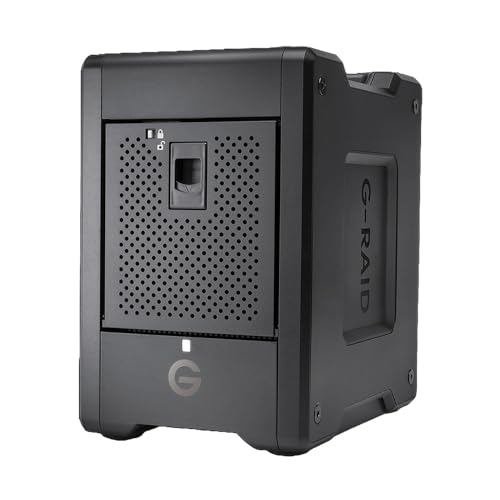
Designed with filmmakers in mind, the SanDisk Professional G-RAID Shuttle 4-Bay Thunderbolt 3 RAID Array boasts an impressive 80TB of storage, making it perfect for handling demanding workflows and extensive media libraries. With up to 800MB/s write and 640MB/s read speeds in default RAID 5, you can streamline your 4K and 8K video editing effortlessly. The built-in hardware RAID supports multiple configurations for tailored performance and redundancy. Dual Thunderbolt 3 ports and a USB-C port guarantee seamless connectivity, while RAID 5 safeguards your valuable content against drive failures, giving you peace of mind as you create.
Best For: Creative professionals, filmmakers, and content creators requiring high-capacity storage and fast data transfer for 4K and 8K video editing.
Pros:
- High Storage Capacity: Offers 80TB of storage with removable enterprise-class hard drives for extensive media libraries.
- Fast Data Transfer Speeds: Achieves up to 800MB/s write and 640MB/s read speeds, ideal for large file transfers and video editing.
- Flexible RAID Configurations: Supports various RAID setups, providing options for performance and data redundancy tailored to specific needs.
Cons:
- Higher Price Point: May be more expensive compared to standard external hard drives due to its advanced features and capabilities.
- Weight and Portability: The 4-bay design may be less portable than smaller drives, making it less convenient for on-the-go use.
- Complexity for Beginners: RAID configurations might be overwhelming for users unfamiliar with data storage systems and their management.
LaCie Rugged Raid Shuttle 8TB External Hard Drive
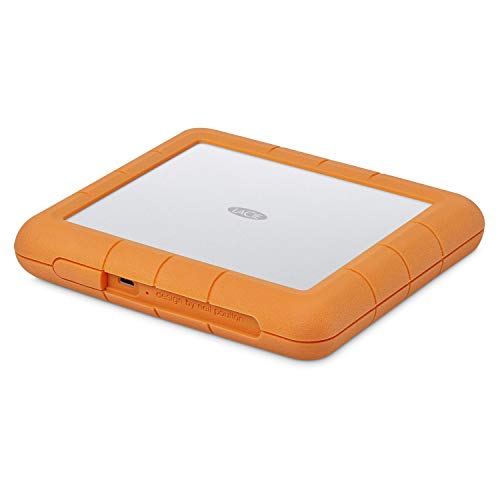
Filmmakers who need a reliable and portable storage solution will find the LaCie Rugged Raid Shuttle 8TB External Hard Drive particularly appealing. With its 8TB capacity, you can store a vast amount of footage without worrying about space. This drive’s RAID 0/1 configuration lets you choose between speed and data redundancy, ensuring your projects are safe. Its durable design is drop, dust, and water-resistant, making it perfect for on-the-go shoots. Plus, you’ll enjoy a complimentary month of Adobe Creative Cloud for editing. Weighing just 2.12 pounds, it’s easy to pack and transport, so you can focus on your creative vision.
Best For: Filmmakers and content creators seeking a reliable, durable, and high-capacity external hard drive for on-the-go storage.
Pros:
- Versatile RAID Configuration: Easily switch between RAID 0 for speed and RAID 1 for data redundancy based on your needs.
- Durable Design: Built to withstand drops, dust, and water, making it ideal for outdoor shoots and travel.
- Complimentary Adobe Creative Cloud: Enjoy a month of free access to powerful editing tools for photo and video projects.
Cons:
- Weight: At 2.12 pounds, it may be heavier than some other portable drives.
- Limited Flash Memory: The 8GB flash memory may not be sufficient for some users’ needs.
- Price Point: Higher cost compared to basic external hard drives without RAID or durability features.
QNAP 4 Bay NAS with 12TB Storage Capacity (TS-433-4G-44ST-US)
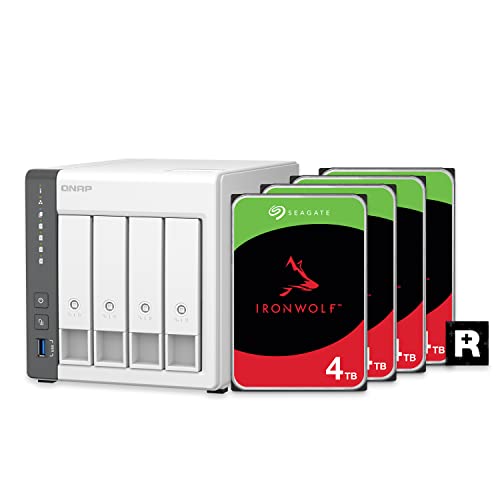
The QNAP 4 Bay NAS (TS-433-4G-44ST-US) stands out as an excellent choice for creative professionals looking for reliable storage solutions. With its preconfigured RAID 5 setup using four 4TB Seagate IronWolf drives, you’ll enjoy 12TB of secure storage. The powerful ARM Cortex-A55 quad-core processor and 4 GB DDR4 RAM guarantee smooth performance for file storage and multimedia streaming. Plus, you can easily access your files remotely via MyQNAPCloud. Built-in snapshot technology protects against ransomware, while QNAP’s NetBak Replicator and Time Machine support make backups a breeze. This NAS is a smart investment for safeguarding your creative projects.
Best For: Creative professionals and home users seeking reliable and secure storage solutions for multimedia files.
Pros:
- Preconfigured RAID 5 offers enhanced data protection and performance.
- Remote access via MyQNAPCloud allows for easy file management from anywhere.
- Built-in snapshot technology safeguards against ransomware threats, ensuring data integrity.
Cons:
- Limited RAM (4 GB) may not be sufficient for heavy multitasking or intensive applications.
- No SSD caching support, which could improve performance for certain workloads.
- Initial setup may require technical knowledge for optimal configuration and usage.
TERRAMASTER D4-320 External Hard Drive Enclosure (4bay USB 3.2 Gen2)

For those looking to boost their data storage capabilities, the TERRAMASTER D4-320 External Hard Drive Enclosure offers an impressive four-bay design that supports both 3.5-inch and 2.5-inch SATA HDDs and SSDs. With a data transmission rate of up to 10Gbps via USB 3.2 Gen2, you can achieve read/write speeds of up to 1,016 MB/s. Its tool-free design makes installation a breeze, and hot-swappable features mean you can replace drives without powering down. Plus, the intelligent cooling system keeps things quiet, with noise levels below 21 dB(A). It’s compatible with Windows, Mac, and Linux systems.
Best For: Users who require high-capacity, versatile storage solutions for their data-intensive applications across multiple operating systems.
Pros:
- Tool-free design allows for easy installation and removal of hard drives without additional tools.
- Hot-swappable capability enables disk replacement without powering down the device, ensuring uninterrupted access to data.
- Intelligent cooling system with sound-absorbing panels reduces noise levels, providing a quieter operating environment.
Cons:
- Limited to SATA drives, which may not accommodate newer NVMe SSDs for users seeking the fastest possible performance.
- No built-in RAID support, which may be a drawback for users looking for data redundancy and enhanced data security.
- Requires external power source, limiting portability compared to some bus-powered options.
SanDisk Professional 24TB G-RAID Mirror 2-Bay RAID Array Drive

Designed with the needs of creative professionals in mind, the SanDisk Professional 24TB G-RAID Mirror 2-Bay RAID Array Drive offers an impressive 24TB of storage capacity, making it an excellent choice for filmmakers who require reliable, high-capacity solutions. Featuring two 12TB drives in a RAID 1 configuration, it guarantees automatic content duplication for backup. You’ll benefit from 7200RPM Ultrastar drives for enhanced reliability and a Thunderbolt 3 interface for lightning-fast 40Gbps data transfers. Plus, the Pro-Blade SSD Mag slot allows for speedy offloading and editing, making this RAID array a powerful tool for managing your essential projects effectively.
Best For: Creative professionals, such as filmmakers and content creators, who require reliable, high-capacity storage solutions for managing large files.
Pros:
- High storage capacity of 24TB with RAID 1 configuration for data redundancy.
- Fast data transfer speeds up to 40Gbps through Thunderbolt 3 interface.
- Enhanced reliability with 7200RPM Ultrastar enterprise-class hard drives.
Cons:
- Higher cost compared to standard external drives.
- Limited portability due to size and weight.
- Requires Thunderbolt 3 compatible devices for optimal performance.
Seagate IronWolf Pro 16TB NAS Internal HDD

Filmmakers seeking reliable and high-capacity storage solutions will find the Seagate IronWolf Pro 16TB NAS Internal HDD an excellent choice. With a 7200 RPM speed and 256 MB cache, this drive guarantees efficient performance. Its CMR technology supports 24/7 operation, while AgileArray optimizes it for NAS setup. Dual-plane balancing and RV sensors enhance RAID performance in multi-bay environments. You can count on its durability, rated for up to 550 TB/year with an MTBF of 2.5 million hours. Plus, the complimentary 3-year Rescue Data Recovery Services provide peace of mind, making it a solid investment for your filmmaking needs.
Best For: Filmmakers and content creators who require reliable, high-capacity storage solutions for their NAS systems.
Pros:
- Optimized for 24/7 operation with CMR technology, ensuring consistent performance.
- Designed specifically for NAS environments, enhancing RAID performance with AgileArray technology.
- Comes with a complimentary 3-year Rescue Data Recovery Service for added data protection.
Cons:
- Requires specific setup and compatible hardware, which may limit usability for some users.
- As a high-capacity drive, it may be more expensive compared to standard HDDs.
- Performance may vary based on the NAS system and RAID configuration used.
Seagate Expansion 24TB External Hard Drive HDD

The Seagate Expansion 24TB External Hard Drive HDD stands out as a top choice for anyone needing ample storage space for large video files and projects. With its 24 TB capacity and 7200 RPM speed, you’ll enjoy fast file transfers via USB 3.0. Just plug in the power adapter and USB cable—no software installation is needed. It automatically recognizes both Windows and Mac systems, though reformatting is necessary for Time Machine. Plus, you’ll have peace of mind with a limited warranty and Rescue Data Recovery Services. Rated 4.6 stars, it’s a reliable option that won’t let you down.
Best For: Those needing extensive storage for large files and projects, such as videographers and content creators.
Pros:
- Easy to use: Simply plug in the power adapter and USB cable; no software installation required.
- Fast file transfers: USB 3.0 interface ensures quick data transfer speeds.
- High storage capacity: Offers a massive 24 TB of space for storing large files.
Cons:
- Reformatting required for Time Machine: Mac users will need to reformat the drive for compatibility with Time Machine.
- Weight: At 2.95 pounds, it may be less portable compared to smaller external drives.
- Limited warranty: The warranty may not cover all potential issues, which could be a concern for some users.
OWC ThunderBay 4 32TB RAID Storage Solution
For those needing robust storage solutions that can handle large video files, the OWC ThunderBay 4 32TB RAID is an excellent choice. With four bays and up to 32TB capacity, it supports both 3.5-inch and 2.5-inch drives, eliminating the need for adapters. You’ll appreciate the dual Thunderbolt 3 ports, delivering sustained performance up to 1138MB/s for quick data transfers. Plus, you can configure it in various RAID levels—RAID 0, 1, 4, 5, and 1+0—tailoring data protection to your needs. The included SoftRAID Premium software simplifies array management, ensuring you have everything you need for efficient storage solutions.
Best For: Professionals and content creators who require high-capacity, high-speed storage for large files such as video and media projects.
Pros:
- High capacity of up to 32TB, accommodating extensive data storage needs.
- Dual Thunderbolt 3 ports enable fast connectivity for efficient data transfer rates up to 1138MB/s.
- Flexible RAID configuration options (RAID 0, 1, 4, 5, 1+0) allow users to tailor data protection and performance according to their needs.
Cons:
- Initial cost may be higher compared to standard external drives, which could deter budget-conscious users.
- Requires some technical knowledge to configure RAID settings effectively, which may not suit all users.
- Potential heat generation from multiple drives running simultaneously, which may require additional cooling considerations.
Factors to Consider When Choosing Raid Storage for Filmmakers
When you’re choosing RAID storage, you need to take into account several key factors. Think about your storage capacity requirements, data transfer speeds, and the RAID configurations that best fit your workflow. Additionally, verify the drives are compatible and check the connectivity interfaces available for your setup.
Storage Capacity Requirements
Choosing the right storage capacity for your RAID solution is essential, especially since filmmakers often handle large volumes of high-resolution video files. You should consider the number of projects you’re juggling and the quality of footage, whether it’s 4K or 8K. RAID configurations vary, with options ranging from 8TB to over 80TB. Keep in mind that redundancy features, like RAID 1, reduce usable space but protect against drive failures. Also, think about future growth; raw footage and backups can quickly eat up storage, making larger capacities more cost-effective. Planning ahead guarantees you won’t run out of space mid-project, allowing you to focus on creativity without worrying about storage limitations.
Data Transfer Speeds
While planning your RAID storage solution, considering data transfer speeds is vital for efficient filmmaking. High-resolution video formats demand fast data transfer to streamline your editing and rendering processes. RAID configurations can greatly enhance these speeds; for instance, RAID 0 offers impressive performance by striping data across multiple drives, reaching up to 1527MB/s. Fast read and write speeds are essential, as they minimize the time needed to save and back up footage during production. Additionally, look for interfaces like Thunderbolt 3, which provide transfer speeds of up to 40Gbps. By prioritizing data transfer speeds, you guarantee quick access to large video files, keeping your workflow smooth and productive.
RAID Configuration Options
Understanding the various RAID configuration options is essential for filmmakers who want to optimize their storage solutions. RAID 0 boosts performance by striping data across multiple drives but lacks redundancy, making it risky for critical footage. If you prioritize data protection, RAID 1 mirrors data across two drives, ensuring redundancy but cuts usable storage in half. For a balance, consider RAID 5, which combines striping and parity, allowing one drive to fail without data loss while improving read speeds. RAID 10 offers both redundancy and enhanced performance by combining mirroring and striping, but requires at least four drives. With user-configurable RAID settings, you can tailor your setup to meet your specific needs for speed, redundancy, and data recovery capabilities.
Drive Compatibility Considerations
When selecting RAID storage solutions, it’s important to take into account drive compatibility to guarantee your setup meets your filmmaking needs. Confirm the RAID system supports both 3.5-inch and 2.5-inch drives, as many options allow for various types without needing adapters. Check the maximum single HDD capacity the enclosure can handle, as this affects your overall storage potential. Look for RAID configurations that enable easy drive replacement or upgrades, enhancing long-term usability and scalability. Additionally, verify that the RAID solution supports popular interfaces like SATA for broad compatibility with available drives. Finally, evaluate the system’s ability to work seamlessly with different operating systems, confirming it meets the needs of filmmakers using both Windows and Mac platforms.
Connectivity Interfaces Available
Connectivity interfaces are vital to your RAID storage solution, as they directly influence data transfer speeds and overall efficiency. For high-demand tasks, Thunderbolt 3 is a top choice, offering impressive speeds of up to 40Gbps, which can greatly enhance your workflow. If your projects are less intensive, USB 3.0 or USB 3.2 Gen 2 interfaces, with speeds of up to 10Gbps, can still provide quick data access. It’s important to guarantee your RAID system has the right ports for seamless integration with your existing hardware. Consider dual-port configurations, like those in Thunderbolt 3 devices, as they allow for daisy-chaining multiple devices—creating a more organized workspace and boosting your productivity during high-resolution video editing tasks.
Portability and Durability
For filmmakers on the go, portability and durability are essential when choosing RAID storage solutions. You need lightweight and compact devices that fit easily into your gear bags, enabling you to travel freely between shooting locations. Durability is just as critical; your RAID storage should withstand drops, dust, and moisture to protect your valuable footage. Many portable RAID options come with rugged features like shock resistance and water protection, ensuring they function in demanding environments. Consider the weight of your RAID storage, with some models weighing as little as 2.12 pounds, making transport easier. Aim for a balance between portability and capacity, as some compact devices still offer substantial storage without compromising on size.
Security and Backup Features
Portability and durability are essential, but equally important is the security and backup capabilities of your RAID storage solutions. Consider RAID 1, which duplicates your data across multiple drives, ensuring you always have a backup if one drive fails. If you’re looking for performance as well, RAID 5 offers data redundancy while distributing parity information, protecting against single drive failures. Advanced features, like self-encrypting systems, safeguard your sensitive files from unauthorized access. Look for RAID solutions that include monitoring software, alerting you to potential drive failures for proactive management. Finally, establish regular backups and snapshots to protect against ransomware attacks or accidental deletions, maintaining multiple file versions for efficient recovery. Prioritize these features to keep your projects secure.