
A capable streaming PC does not need to dominate your desk. The best mini PCs for OBS streaming combine efficient processors, fast storage, and useful display and network connections in compact enclosures.
This roundup compares 10 options across entry-level, mainstream, and higher-performance tiers so you can match your OBS setup to your scenes, sources, resolution, and budget.
Best 10 Mini PCs for OBS Streaming Picks for 2026
Best Performance Pick
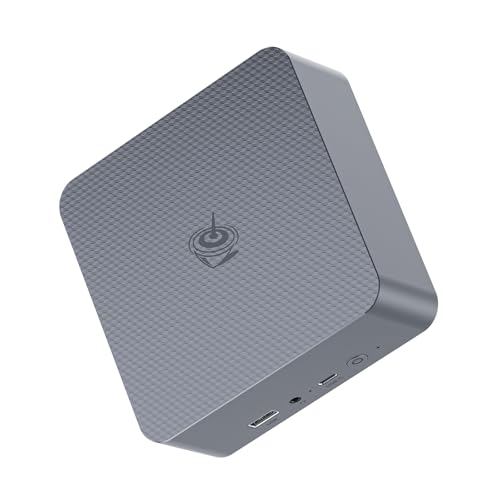
- Ryzen 7 7735U with 8 cores and 16 threads
- 24GB LPDDR5 RAM and 500GB NVMe SSD
- Dual 4K display output and dual 2.5G LAN
Best For: Demanding OBS multitasking and dual-screen streaming
Connectivity Pick
MINISFORUM NAB6 Lite i5 Mini PC

- Core i5-12600H with 12 cores and 16 threads
- Dual 2.5G Ethernet ports
- Up to four 4K displays with upgradeable storage
Best For: Multi-monitor OBS setups with wired networking
Balanced Value Pick

- Six-core Ryzen 5 5500U processor
- Upgradeable 16GB RAM and 480GB NVMe SSD
- Dual-display support with 2.5G LAN
Best For: Everyday OBS streaming and general productivity
Low-Power Budget Pick
BOSGAME E3 Neo Intel N95 Mini PC
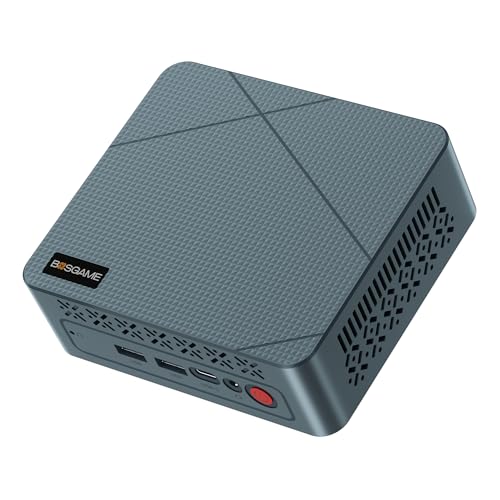
- Efficient 6W TDP Intel N95 processor
- 16GB RAM and 512GB SSD
- Triple 4K display support and Linux compatibility
Best For: Light OBS tasks and efficient everyday use
Best Balanced Performer

- 6-core/12-thread Ryzen 5 processor
- 16GB RAM and 480GB NVMe SSD
- 4K60 and dual-display support
Best For: Balanced OBS streaming and multitasking
Best for Multidisplay Setups

- 8-core/16-thread Ryzen 7 6800H
- Triple 4K display support
- Wi-Fi 6, dual LAN, and 512GB NVMe SSD
Best For: Multi-monitor OBS workstations
Best Budget-Friendly Option
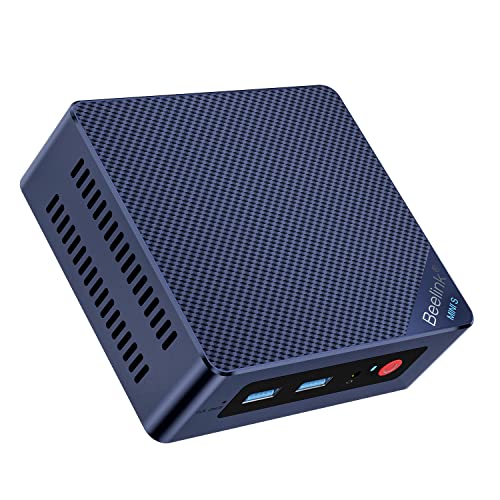
- Low-power Intel N95 processor
- Dual HDMI and 4K playback support
- 8GB RAM with 480GB SSD
Best For: Basic, low-power OBS streaming setups
Best Low-Power Pick

- Efficient 6W Intel N100 processor
- 16GB RAM and 500GB SSD included
- Dual 4K HDMI outputs with Wi-Fi 6
Best For: Basic streaming and efficient home-office setups
Best Budget AMD Pick

- 4-core, 8-thread Ryzen 5 processor
- 512GB NVMe SSD and expandable 16GB RAM
- Dual 4K HDMI outputs with Wi-Fi 6
Best For: Budget streamers needing storage and upgrade flexibility
Best Performance Pick – Beelink EQR7 Ryzen 7 Mini PC
For demanding mini PCs for OBS streaming setups, the Beelink EQR7 offers a strong multitasking foundation with its Ryzen 7 7735U processor, 24GB of LPDDR5 RAM, and integrated Radeon 680M graphics. Its dual HDMI outputs and fast networking also make it practical for a streaming desk with multiple displays and connected accessories.
Best For: OBS users who need capable multitasking, dual-screen support, and room for storage expansion.
Pros:
- Ryzen 7 7735U provides 8 cores and 16 threads for demanding multitasking.
- 24GB LPDDR5 RAM and a 500GB NVMe SSD provide a strong starting configuration.
- Dual HDMI outputs support two 4K displays at 60Hz.
- Two 2.5G LAN ports and multiple USB ports suit streaming peripherals and networking.
Cons:
- Radeon 680M graphics are integrated rather than dedicated.
- The supplied configuration lists an operating system generically as “OS,” so buyers should verify software details.
The EQR7 is the most performance-oriented choice in this group for a compact OBS workstation. Its processor, memory, connectivity, and upgradeable storage design give it useful headroom for streaming-related multitasking.
Connectivity Pick – MINISFORUM NAB6 Lite i5 Mini PC
The MINISFORUM NAB6 Lite is a practical option for mini PCs for OBS streaming when wired networking and flexible display output matter. Its 12th-generation Core i5-12600H, 16GB of DDR4 memory, and dual 2.5G Ethernet ports support a versatile desk or small production setup.
Best For: Streamers who value wired network flexibility, multiple monitors, and upgradeable memory and storage.
Pros:
- Core i5-12600H offers 12 cores and 16 threads, with speeds up to 4.5GHz.
- Dual 2.5G Ethernet ports can support flexible networking applications.
- Supports up to four 4K displays through HDMI and USB-C outputs.
- 16GB DDR4 RAM and a 500GB PCIe 4.0 SSD can be upgraded.
Cons:
- Uses integrated Intel graphics rather than a dedicated GPU.
- DDR4 memory is less current than the LPDDR5 configuration found in some alternatives.
With strong CPU specifications, four-display support, and dual high-speed Ethernet, the NAB6 Lite is well suited to an organized streaming workstation. It is especially appealing if your OBS setup depends on wired network options or several screens.
Balanced Value Pick – Beelink SER5 Ryzen 5 Mini PC
The Beelink SER5 is a balanced starting point among mini PCs for OBS streaming. Its six-core Ryzen 5 5500U, 16GB of DDR4 RAM, and 480GB NVMe SSD cover everyday multitasking, while dual-display support and a useful mix of USB, HDMI, and Type-C connectivity help accommodate a compact streaming setup.
Best For: Everyday streamers seeking a capable, expandable mini PC for OBS and general productivity.
Pros:
- Ryzen 5 5500U provides 6 cores and 12 threads with boost speeds up to 4.0GHz.
- 16GB DDR4 memory can be upgraded to 64GB.
- Integrated Radeon graphics support 4K at 60Hz and two-screen use.
- Includes 2.5G LAN, Wi-Fi, Bluetooth, USB 3.2, HDMI, and Type-C connectivity.
Cons:
- Its Ryzen 5 processor is less powerful than the Ryzen 7 and Core i5 options listed here.
- The supplied details identify integrated Radeon graphics, not a dedicated streaming GPU.
The SER5 makes sense for a straightforward OBS computer that also handles office work, media playback, and light creative tasks. Its upgradeable memory gives it more flexibility than its entry-level positioning might suggest.
Low-Power Budget Pick – BOSGAME E3 Neo Intel N95 Mini PC
The BOSGAME E3 Neo is a compact, low-power choice for basic mini PCs for OBS streaming applications. Its Intel N95 processor, 16GB of DDR4 RAM, 512GB SSD, and 6W TDP favor quiet, efficient everyday use, while triple-display support and multiple USB ports add flexibility.
Best For: Light streaming-related tasks, simple broadcasting environments, home theater, and low-power office use.
Pros:
- Intel N95 uses a 6W TDP design aimed at efficient operation.
- 16GB DDR4 RAM and a 512GB SSD provide useful out-of-box capacity.
- Supports three 4K displays at 60Hz through its display outputs.
- Includes four USB 3.2 ports, dual HDMI, Type-C PD support, and Linux compatibility.
Cons:
- The N95 has four cores and four threads, limiting heavier OBS multitasking compared with the other options.
- It includes one RJ45 network port rather than the dual 2.5G ports found on some alternatives.
- Its 1-year whole-machine warranty is shorter than the 3-year warranties noted for the Beelink models.
The E3 Neo is best treated as an economical, low-power option rather than a high-end streaming workstation. It can fit lighter OBS duties and display-heavy setups, but demanding scenes or extensive multitasking may call for a stronger processor.
Best Balanced Performer – Beelink SER5 Ryzen 5 5500U
For shoppers comparing mini PCs for OBS streaming, the Beelink SER5 offers a capable six-core processor, 16GB of RAM, and integrated Radeon graphics in a compact enclosure. Its dual-display support and broad connectivity make it a practical choice for streaming alongside other everyday tasks.
Best For: OBS users who want balanced multitasking performance, dual-monitor support, and upgradeable memory.
Pros:
- Ryzen 5 5500U provides 6 cores and 12 threads for multitasking.
- Includes 16GB DDR4 RAM and a 480GB NVMe SSD.
- Supports 4K at 60Hz and dual displays through HDMI, DisplayPort, and USB-C.
- Offers 2.5G LAN, Wi-Fi 5, Bluetooth, and four USB ports.
Cons:
- Uses integrated graphics rather than a dedicated GPU.
- Wi-Fi is listed as 802.11ac rather than Wi-Fi 6.
The SER5 is a sensible middle-ground option for OBS streaming, especially when you need smooth general multitasking and multiple displays without moving to a larger desktop. Its 3-year warranty and lifetime technical support add useful reassurance.
Best for Multidisplay Setups – Glorlin Ryzen 7 6800H Mini PC
Among mini PCs for OBS streaming, the Glorlin stands out with its 8-core Ryzen 7 6800H processor, fast LPDDR5 memory, and Radeon 680M graphics. It is particularly appealing if your streaming workspace also includes several monitors for chat, production controls, or other applications.
Best For: Streamers who prioritize processor headroom, triple-display support, and fast wireless connectivity.
Pros:
- Ryzen 7 6800H provides 8 cores, 16 threads, and speeds up to 4.7GHz.
- 16GB LPDDR5 memory and a 512GB NVMe SSD support responsive everyday use.
- Supports up to three 4K displays through HDMI, DisplayPort, and USB-C.
- Includes dual LAN, Wi-Fi 6, Bluetooth 5.3, and USB 3.2 connectivity.
Cons:
- Memory is listed as LPDDR5 with a 16GB maximum, limiting upgrade flexibility.
- It carries a 1-year warranty, shorter than some competing options.
The Glorlin is the most performance-oriented choice in this group on paper. Its integrated Radeon 680M graphics are suited to light gaming and media tasks, while triple 4K output makes it a strong fit for a more elaborate OBS workstation.
Best Budget-Friendly Option – Beelink Mini S12 N95
If you need an economical starting point for mini PCs for OBS streaming, the Beelink Mini S12 uses a low-power Intel N95 processor and compact design for basic streaming, browsing, and media duties. Its dual HDMI outputs are useful for a simple two-screen setup.
Best For: Entry-level streamers and users seeking a low-power mini PC for basic OBS-related tasks and media playback.
Pros:
- Low-power Intel N95 processor supports everyday productivity and streaming media.
- Includes 8GB DDR4 RAM and a 480GB SATA3 SSD.
- Dual HDMI outputs support two monitors, with 4K video playback capability.
- Compact 4.52-by-4.04-by-1.54-inch design includes 2.5G LAN and Wi-Fi 5.
Cons:
- Four cores and four threads provide less multitasking headroom than the other options.
- Memory starts at 8GB and supports up to 16GB, which may limit heavier workflows.
- Graphics are integrated Intel UHD rather than dedicated.
The Mini S12 is best suited to modest streaming setups rather than demanding production workloads. Its low 10-watt power specification, small footprint, and dual-monitor support make it a practical entry-level choice.
Best with Extra Features – KAMRUI Pinova P2 Ryzen 5 Mini PC
For demanding everyday multitasking and multi-display setups, the KAMRUI Pinova P2 is one of the more capable mini PCs for OBS streaming in this roundup. Its Ryzen 5 5425U, 16GB of memory, and integrated Radeon graphics provide a stronger foundation for streaming-related multitasking, though users should confirm their encoder and OBS workload requirements.
Best For: Streamers who want stronger CPU performance, multiple displays, and room for storage expansion.
Pros:
- Ryzen 5 5425U offers 4 cores, 8 threads, and boost speeds up to 4.1GHz.
- 16GB RAM supports multitasking, while two M.2 slots allow substantial storage expansion.
- Supports triple 4K displays and includes numerous USB ports plus Gigabit Ethernet.
- Compact chassis includes VESA mounting and a cooling design intended for stable operation.
Cons:
- Integrated graphics are aimed at 4K playback and light gaming rather than dedicated-GPU workloads.
- The included 256GB SSD provides less starting storage than some alternatives.
The P2 is the most performance-oriented choice here for buyers who need CPU headroom and flexible connectivity in a small system. Its integrated graphics mean serious, highly layered OBS production may still call for a dedicated desktop or capture setup.
Best Low-Power Pick – Beelink Mini S12 Pro N100
The Beelink Mini S12 Pro is a practical low-power option among mini PCs for OBS streaming, especially for basic streaming, media playback, and everyday desktop work. Its Intel N100 processor, 16GB RAM, and dual HDMI outputs suit compact setups, but it is best matched with modest OBS scenes and workloads.
Best For: Entry-level streamers, media users, and home offices that prioritize low power use and a small footprint.
Pros:
- Intel N100 uses a 6W standard TDP and includes integrated UHD Graphics with AV1 decoding.
- 16GB RAM and a 500GB SSD provide a useful starting configuration.
- Dual HDMI 2.0 outputs support two 4K displays at 60Hz.
- Wi-Fi 6, Bluetooth 5.2, Gigabit Ethernet, and four USB 3.2 ports offer versatile connectivity.
Cons:
- The 4-core, 4-thread N100 is less suited to complex, CPU-heavy streaming scenes.
- Memory is limited to a maximum of 16GB according to the supplied specifications.
This Beelink makes sense when efficiency, quiet operation, and basic connectivity matter more than maximum streaming performance. For demanding overlays, simultaneous recording, or multiple intensive applications, a higher-tier processor would be a safer choice.
Best Budget AMD Pick – Getorli Ryzen 5 3500U Mini PC
The Getorli Ryzen 5 3500U offers a balanced starting point for buyers seeking budget-friendly mini PCs for OBS streaming. With 16GB of RAM, a 512GB NVMe SSD, and an 8-thread processor, it can handle everyday multitasking and media streaming while leaving room for a straightforward OBS setup.
Best For: Budget-conscious streamers who want ample storage, expandable memory, and dual-monitor support.
Pros:
- Ryzen 5 3500U provides 4 cores, 8 threads, and speeds up to 3.7GHz.
- 16GB DDR4 memory is expandable to 32GB.
- 512GB NVMe SSD offers generous, fast storage for applications and media.
- Dual HDMI ports support 4K output, with Wi-Fi 6 and Bluetooth 5.3 for modern wireless connectivity.
Cons:
- The older Ryzen 5 3500U is less powerful than the Ryzen 5 5425U in this roundup.
- Integrated AMD graphics are not a substitute for a dedicated GPU in demanding streaming or gaming workloads.
- The listed warranty is one year.
The Getorli is a sensible value pick when storage and upgrade flexibility are important. It should suit basic-to-moderate OBS use, but buyers planning complex scenes or high-demand gaming streams should consider a more powerful system.
How We Picked the Best Mini PCs for OBS Streaming
We compared the selected systems by processor class, core and thread count, memory capacity, storage, integrated graphics, networking, display outputs, and stated thermal or power characteristics. We also considered how well each configuration fits common OBS workloads, including webcam scenes, alerts, browser sources, recording, and hardware-accelerated encoding.
Specifications can vary by seller and configuration, so verify the exact RAM, SSD, operating system, ports, and power adapter before purchase. A mini PC may be suitable for streaming while still requiring realistic expectations around game performance and demanding video effects.
Quick Comparison
| Best For | What to Prioritize | Recommended Tier |
|---|---|---|
| Basic webcam or console streaming | 16GB RAM, SSD, reliable network connection | Intel N95/N100 or Ryzen 5 |
| Gaming plus OBS on one PC | Stronger multi-core CPU and hardware encoder | Ryzen 7 or Core i5 H-series |
| Multiple scenes and browser sources | 16GB or more RAM, fast NVMe storage | Ryzen 5/7 or Core i5 |
| Low-cost dedicated streaming box | Low power draw, compact size, sufficient I/O | Intel N95/N100 |
Key Buying Factors for Mini PCs for OBS Streaming
CPU and Encoding
OBS performance depends heavily on the encoder and overall CPU headroom. Recent Intel and AMD processors may offer useful hardware encoding support, while a higher core count helps with scenes, filters, recording, and multitasking. For a dedicated capture or webcam system, an entry-level chip can be enough; streaming and gaming from the same computer generally calls for a Ryzen 7 or Core i5-class model.
Memory and Storage
Choose 16GB of RAM for a comfortable starting point, particularly if you use browser sources, chat tools, music, and editing software at the same time. An NVMe SSD improves boot and application loading, while 256GB can fill quickly once recordings and media assets accumulate. Look for accessible RAM and storage if future upgrades matter.
Ports, Networking, and Displays
Check for the connections your setup actually needs: HDMI or DisplayPort for monitoring, USB ports for cameras and capture cards, Ethernet for stable streaming, and Wi-Fi support for flexible placement. Dual Ethernet can be useful in specialized setups, but wired networking is usually the safer choice for consistent bitrate and latency.
Thermals and Reliability
Small enclosures have limited cooling capacity. Sustained streaming can expose weaknesses that short benchmark tests miss, so favor models with sensible power limits, adequate ventilation, and a clear return policy. Keep the unit unobstructed and update its BIOS, chipset, graphics, and network drivers when appropriate.
Who Should Buy Which Mini PCs for OBS Streaming?
Choose an Intel N95 or N100 model for a compact, economical dedicated OBS machine handling a camera, console capture, or light scenes. A Ryzen 5 system is a balanced choice for regular streaming, multitasking, and moderate recording workloads. Step up to the Ryzen 7 6800H, Ryzen 7 7735U, or Core i5-12600H class when you need more headroom for complex scenes, multiple sources, heavier encoding, or simultaneous applications.
Before buying, confirm whether your games will run on the mini PC itself or on another computer. Integrated graphics are convenient for everyday use and some lighter games, but they are not a replacement for a dedicated gaming GPU in demanding titles. For the most reliable setup, match the mini PC to your encoder, capture hardware, internet upload speed, and intended stream resolution rather than choosing solely by processor name.