
Choosing among OLED reference monitors for video editing means balancing color accuracy, HDR performance, resolution, connectivity, and long-term reliability. The right display can make it easier to judge shadows, highlights, skin tones, and wide-gamut footage with confidence.
We compared 10 professional and creator-focused OLED monitors, including 4K models with USB-C, hardware calibration, high refresh rates, and coverage of demanding cinema color spaces.
Best 10 OLED Reference Monitors for Video Editing Picks for 2026
Best All-Rounder
ASUS ProArt PA279CDV 27-inch 4K QD-OLED

- 4K QD-OLED with 99% DCI-P3 and Delta E < 1.5
- 120Hz refresh rate with HDR10 support
- 96W USB-C, Auto KVM, and ergonomic stand
Best For: Color-conscious editors needing a flexible USB-C workstation
Best Large-Screen Choice
Acer ProDesigner PE320QK 31.5-inch OLED

- 31.5-inch 4K OLED workspace
- AdobeRGB 97% and DCI-P3 99% coverage
- 120Hz refresh rate and 90W USB-C power
Best For: Editors who need extra room for timelines and creative tools
Best Calibration Package
ASUS ProArt PA27DCE-K 27-inch RGB OLED

- 4K RGB OLED with true 10-bit color
- Delta E < 1 and hardware calibration support
- Includes X-Rite i1 Display Pro calibrator
Best For: Accuracy-first finishing and professional color workflows
Best Compact High-Refresh Pick
Acer ProDesigner PE270K 26.5-inch OLED
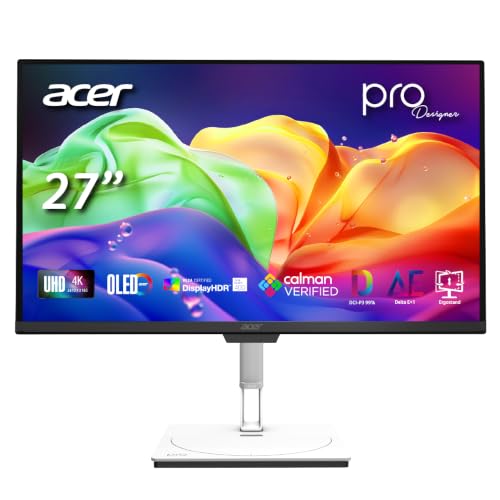
- Compact 4K QD-OLED design
- 99% DCI-P3 and Delta E < 1
- 120Hz refresh rate with 90W USB-C
Best For: Desk-conscious editors wanting accurate, smooth previews
Best All-Around Pro Pick

- Calman Verified color with Delta E<1.5
- 4K QD-OLED, 120Hz, and 1000-nit peak brightness
- USB-C 96W Power Delivery and Auto KVM
Best For: Editors wanting accurate color and flexible workstation connectivity
Best for Gaming and Editing

- 4K OLED with deep blacks and HDR True Black 400
- Pantone Validated color reproduction
- 4K 165Hz or Full HD 330Hz dual mode
Best For: Hybrid editing and gaming setups
Best High-Refresh Pro Display

- 4K QD-OLED with 240Hz refresh and 0.1ms response
- Delta E<1 and hardware calibration support
- 10-bit color, wide gamut, and Dolby Vision support
Best For: Professional HDR and color-critical editing workflows
Immersive 4K Pick

- 31.6-inch 4K QD-OLED panel with 99% DCI-P3
- 120Hz refresh rate and 0.03ms response time
- USB-C supports up to 90W power delivery
Best For: Large-screen editing setups needing color, speed, and connectivity
Calibration Specialist

- Built-in motorized colorimeter for auto calibration
- True 10-bit color and stated ΔE<1 accuracy
- Three HDMI ports, DisplayPort, and USB-C
Best For: Color-critical post-production and professional calibration workflows
Best Simple Pick
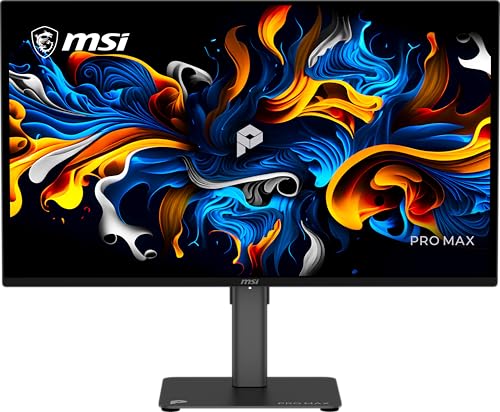
- 27-inch 4K QD-OLED display with ΔE<2 accuracy
- 120Hz refresh rate and 0.03ms response time
- USB-C, DisplayPort, HDMI, and adjustable stand
Best For: Smaller editing desks needing fast, sharp OLED performance
Best All-Rounder – ASUS ProArt PA279CDV 27-inch 4K QD-OLED
For creators seeking OLED reference monitors for video editing, the ASUS ProArt PA279CDV combines 4K resolution, a 120Hz refresh rate, wide-gamut color, and strong connectivity in a compact professional display. Its factory calibration and Calman Verified status make it a practical choice for color-conscious editing workflows.
Best For: Video editors who want accurate color, smooth previews, and a versatile USB-C workstation monitor.
Pros:
- 4K QD-OLED panel with 99% DCI-P3, 100% sRGB, true 10-bit color, and Delta E < 1.5.
- 120Hz refresh rate, 0.1ms response time, and DisplayHDR True Black 400 support smooth HDR previews.
- USB-C supports up to 96W Power Delivery, with Auto KVM, USB hub, and DisplayPort daisy chaining.
- Includes an ergonomic stand and Mac-focused color optimization.
Cons:
- Its 27-inch size may feel limiting for editors who prefer a larger timeline workspace.
- The listed brightness is 240 cd/m², despite the 1000-nit peak specification.
This is the most balanced option in the group for editors who need professional color performance without sacrificing refresh rate, laptop connectivity, or desk-friendly ergonomics.
Best Large-Screen Choice – Acer ProDesigner PE320QK 31.5-inch OLED
The Acer ProDesigner 31.5-inch OLED gives video editors more room for timelines, scopes, and side-by-side windows while retaining 4K detail. Its Calman Verified color, Delta E < 1 performance, and broad AdobeRGB and DCI-P3 coverage make it a strong candidate among OLED reference monitors for video editing.
Best For: Editors and designers who prioritize a large 4K canvas and wide color coverage.
Pros:
- Large 31.5-inch 4K OLED display with AdobeRGB 97% and DCI-P3 99% coverage.
- Calman Verified accuracy with Delta E < 1 and DisplayHDR True Black 500.
- 120Hz refresh rate and 0.03ms response time support fluid motion previews.
- USB-C provides DisplayPort, data, and up to 90W power delivery.
Cons:
- The larger chassis takes up more desk space than the 26.5- or 27-inch alternatives.
- Its 18.9-pound weight may make mounting and repositioning less convenient.
Choose this model when screen real estate matters most. It offers the broadest listed color coverage and the largest panel here, making complex editing layouts easier to manage.
Best Calibration Package – ASUS ProArt PA27DCE-K 27-inch RGB OLED
The ASUS ProArt PA27DCE-K is aimed at editors who want a traditional reference-oriented OLED display with hardware calibration support. Its 4K RGB OLED panel, true 10-bit color, 1,000,000:1 contrast ratio, and included X-Rite i1 Display Pro calibrator make it a particularly complete option among OLED reference monitors for video editing.
Best For: Professional editors who value calibration control, deep contrast, and long warranty coverage.
Pros:
- 4K HDR OLED panel with true 10-bit color, 99% DCI-P3, and a 1,000,000:1 contrast ratio.
- World-leading stated Delta E < 1 performance and ASUS hardware calibration support.
- Includes an X-Rite i1 Display Pro calibrator for a more complete color-management setup.
- Supports HDR-10 and HLG, with an included five-year warranty after registration.
Cons:
- The 60Hz refresh rate is less fluid than the 120Hz alternatives.
- USB-C power delivery is rated at 80W rather than 90W or 96W.
This is the most calibration-focused pick in the lineup. Its lower refresh rate matters less for accuracy-first finishing work, while the included calibrator and extended warranty add practical value for professional use.
Best Compact High-Refresh Pick – Acer ProDesigner PE270K 26.5-inch OLED
The Acer ProDesigner 26.5-inch OLED delivers a compact 4K editing display with the same creator-focused approach as its larger sibling. For buyers comparing OLED reference monitors for video editing, it offers Calman Verified color, Delta E < 1 performance, 99% DCI-P3 coverage, and a 120Hz refresh rate in a smaller footprint.
Best For: Editors who want fast, accurate OLED performance without a large monitor taking over the desk.
Pros:
- 4K QD-OLED panel with 99% DCI-P3 coverage, Calman Verification, and Delta E < 1.
- 120Hz refresh rate and 0.03ms response time provide smooth playback and previews.
- USB-C supports DisplayPort, data, and up to 90W power delivery.
- Includes a height-adjustable, tilt, and swivel stand plus eye-comfort features.
Cons:
- The 26.5-inch panel provides less workspace than the 31.5-inch Acer model.
- Its DisplayHDR True Black 400 rating is below the larger model’s True Black 500 rating.
This is a sensible space-saving alternative for editors who still want fast playback, strong color accuracy, and modern USB-C connectivity in a professional OLED display.
Best All-Around Pro Pick – ASUS ProArt PA329CDV
For editors seeking OLED reference monitors for video editing, the ASUS ProArt PA329CDV combines a 31.5-inch 4K QD-OLED panel with strong factory color calibration, broad gamut coverage, and practical workstation connectivity. Its 120Hz refresh rate and ergonomic stand also make it versatile beyond color-critical work.
Best For: Video editors who want accurate 4K color, USB-C laptop connectivity, and a flexible professional display.
Pros:
- Calman Verified factory calibration with Delta E<1.5, 99% DCI-P3, and 100% sRGB coverage.
- 4K QD-OLED panel with 1000-nit peak brightness, 120Hz refresh rate, and 0.1ms response time.
- USB-C with 96W Power Delivery, USB hub, Auto KVM, and DisplayPort daisy-chain support.
- Height, tilt, swivel, and pivot adjustments, plus a five-year warranty with registration.
Cons:
- Its 120Hz refresh rate is lower than the 240Hz option in ASUS’s PA32UCDM.
- The listed HDMI connectivity includes one HDMI port.
The PA329CDV is a balanced professional choice: it prioritizes dependable color performance and useful desktop features without giving up smooth motion. It is especially compelling for editors working from a laptop-based setup.
Best for Gaming and Editing – Samsung Odyssey OLED G7 G73SH
The Samsung Odyssey OLED G7 is a gaming-focused alternative among OLED reference monitors for video editing. Its 32-inch 4K OLED screen delivers deep blacks, Pantone-validated color, and HDR support, while its high refresh rates suit editors who also spend time gaming.
Best For: Hybrid users who want a 4K OLED display for editing and high-refresh-rate gaming.
Pros:
- 4K OLED panel with VESA DisplayHDR True Black 400 and a 1,500,000:1 contrast ratio.
- Pantone Validated screen supports precise color reproduction.
- Dual mode provides 4K at 165Hz or Full HD at 330Hz with a 0.03ms response time.
- Supports both NVIDIA G-SYNC compatibility and AMD FreeSync Premium Pro.
Cons:
- Its listed specific use is gaming rather than professional video editing.
- Connectivity is limited to DisplayPort and HDMI, without USB-C or Thunderbolt.
- It has a three-year manufacturer warranty, shorter than the ASUS ProArt alternatives.
The G73SH is best viewed as a capable crossover display rather than a dedicated reference monitor. Pantone validation and OLED contrast help with visual work, while the dual-mode refresh options make it the strongest gaming choice in this group.
Best High-Refresh Pro Display – ASUS ProArt PA32UCDM
The ASUS ProArt PA32UCDM is a high-end option for creators comparing OLED reference monitors for video editing. Its 32-inch 4K QD-OLED panel combines 240Hz performance with 10-bit color, extensive gamut coverage, hardware calibration, and support for multiple HDR formats.
Best For: Professional editors who need broad color support, HDR flexibility, and Thunderbolt 4 connectivity.
Pros:
- True 10-bit QD-OLED color with 100% sRGB, 99% DCI-P3, and BT.2020 coverage.
- World-leading listed color accuracy of Delta E<1 with ASUS ProArt hardware calibration.
- 4K resolution, 240Hz refresh rate, 0.1ms response time, and 1000-nit peak brightness.
- Supports Dolby Vision, HLG, and HDR10, with two Thunderbolt 4 ports.
Cons:
- Its advanced specifications may be more than needed for basic editing workflows.
- The listed connectivity includes one HDMI port.
- Its 19.8-pound weight is higher than the PA329CDV’s listed 15.5 pounds.
With its Delta E<1 target, hardware calibration, wide gamut, and HDR-format support, the PA32UCDM is the most technically ambitious professional display here. The 240Hz panel also benefits creators who want exceptionally smooth timeline interaction or gaming performance.
Immersive 4K Pick – Dell 32 Plus QD-OLED
The Dell S3225QC is a strong all-around option among OLED reference monitors for video editing, pairing a spacious 31.6-inch 4K QD-OLED screen with 99% DCI-P3 coverage, Dolby Vision, and DisplayHDR True Black 400. Its 120Hz refresh rate also makes timeline scrubbing and general desktop movement feel smooth.
Best For: Editors who want a large, color-rich 4K display with smooth motion, USB-C connectivity, and built-in audio.
Pros:
- 4K QD-OLED panel with 99% DCI-P3 coverage and a 1,500,000:1 contrast ratio.
- Dolby Vision and VESA DisplayHDR True Black 400 support.
- 120Hz refresh rate, 0.03ms response time, and FreeSync Premium Pro.
- USB-C connection with up to 90W power delivery plus height, tilt, and swivel adjustments.
Cons:
- Only one HDMI port is listed.
- The 250-nit brightness rating may be less suited to very bright environments.
- Its built-in spatial-audio system may add cost for buyers who already use dedicated speakers or headphones.
Choose this Dell when you want editing-focused image quality without giving up high refresh performance or convenient laptop connectivity. Its generous size and ergonomic stand make it especially practical for a single-monitor workstation.
Calibration Specialist – ASUS ProArt PA32DC
The ASUS ProArt PA32DC is the most calibration-focused choice here for buyers comparing OLED reference monitors for video editing. Its 31.5-inch 4K OLED panel combines true 10-bit color, 99% DCI-P3 coverage, ΔE<1 accuracy, and a built-in motorized colorimeter for repeatable calibration workflows.
Best For: Color-critical video, photo, and post-production work where calibration tools and consistent image output matter more than a high refresh rate.
Pros:
- Built-in colorimeter works with ASUS Auto Calibration and supported professional calibration software.
- True 10-bit color, 99% DCI-P3 coverage, and stated ΔE<1 color accuracy.
- Supports HDR10, HLG, and VESA DisplayHDR 400 True Black.
- Full-function USB-C, DisplayPort 1.4, three HDMI ports, and a USB hub.
Cons:
- Its 60Hz refresh rate is less fluid than the 120Hz alternatives.
- The listed 250-nit brightness may limit performance in bright viewing spaces.
- Its professional features and 26.8-pound weight may be more than casual editors need.
The PA32DC stands out when dependable calibration is central to the workflow. It is a particularly compelling fit for professionals who need wide connectivity, 10-bit color, and a longer five-year warranty with online registration.
Best Simple Pick – MSI PRO MAX 271UPX12G
The MSI PRO MAX 271UPX12G offers a compact 27-inch format for editors seeking OLED reference monitors for video editing with strong motion performance. Its 4K QD-OLED panel delivers ΔE<2 color accuracy, 97.5% color gamut coverage, DisplayHDR True Black certification, and a 120Hz refresh rate.
Best For: Editors who prefer a smaller 4K monitor and want fast refresh, USB-C connectivity, and an adjustable stand for mixed creative and desktop use.
Pros:
- 4K UHD QD-OLED display with a 1,500,000:1 contrast ratio.
- Stated ΔE<2 accuracy and DisplayHDR True Black 400 support.
- 120Hz refresh rate, 0.03ms response time, and FreeSync Premium Pro.
- Height-adjustable stand, built-in speakers, and USB-C connectivity with 15W power delivery.
Cons:
- Its 27-inch screen provides less workspace than the 31.5- and 31.6-inch models.
- The notes list only one HDMI port and one total USB port.
- The specified color accuracy is ΔE<2 rather than the ASUS model’s stated ΔE<1.
This MSI is a practical middle ground for smaller desks and hybrid workstations. It emphasizes sharp 4K detail and fluid operation while still offering editing-relevant color and HDR features.
How We Picked the Best OLED Reference Monitors for Video Editing
We focused on displays with the characteristics that matter most in a post-production workflow: 4K resolution, OLED or QD-OLED contrast, wide-gamut color, credible factory calibration, HDR support, and useful computer connectivity. We also considered screen size, refresh rate, hardware calibration features, and whether each monitor is better suited to editing, color grading, motion graphics, or mixed creative and gaming use.
Specifications such as DCI-P3 coverage and Delta E ratings are useful starting points, but they do not replace a properly managed workflow. Room lighting, calibration, viewing distance, and the capabilities of your editing software all affect real-world results.
Quick Comparison
- Best all-around creator features: ASUS ProArt PA279CDV combines 4K QD-OLED, 120Hz, USB-C, HDR10, and Calman verification in a compact 27-inch format.
- Best for built-in calibration: ASUS ProArt PA32DC includes a motorized colorimeter and is designed for repeatable professional color work.
- Best for Mac-focused workflows: ASUS ProArt PA27DCE-K and PA32UCDM offer professional OLED displays with Mac-friendly connectivity.
- Best large-screen options: The 31.5- and 32-inch Acer, ASUS, Dell, and Samsung models provide more workspace for timelines, scopes, and full-resolution footage.
- Best high-refresh choice: ASUS ProArt PA32UCDM reaches 240Hz, making it suitable for creators who also work with fast motion or play games.
Key Buying Factors for OLED Reference Monitors for Video Editing
Color Accuracy and Gamut
Look for verified or calibrated color performance, strong DCI-P3 coverage, and support for the color spaces used in your projects. A low Delta E rating is helpful, but calibration controls and a consistent viewing environment are equally important.
HDR Capability and Black-Level Control
OLED panels deliver exceptionally deep blacks and precise pixel-level contrast. For HDR editing, check the monitor’s HDR standard, peak brightness, tone-mapping behavior, and whether your computer and software can output the required signal.
Resolution, Size, and Workspace
4K is the practical baseline for modern video work. A 27-inch screen offers sharper pixel density and fits smaller desks, while a 32-inch model gives more room for timelines, scopes, and interface panels.
Connections and Calibration
USB-C with power delivery can simplify a laptop setup, while HDMI and DisplayPort provide broader compatibility. If you need dependable color matching across projects, prioritize hardware calibration or a monitor with a reliable calibration workflow.
OLED Maintenance and Ergonomics
OLED technology can be vulnerable to image retention. Use screen-saving features, vary static interface elements, and follow the manufacturer’s care guidance. Also check stand adjustment, ventilation, warranty coverage, and pixel or burn-in policies before buying.
Who Should Buy Which OLED Reference Monitors for Video Editing?
Choose a 27-inch ASUS ProArt or MSI model if you need a sharp, space-efficient display for editing, design, and occasional gaming. Pick a 31.5- or 32-inch professional ASUS, Acer, Dell, or Samsung monitor when timeline space and immersive HDR viewing matter more than desk footprint. Serious colorists should prioritize the ASUS PA32DC’s integrated colorimeter, while Mac users should favor the ProArt models with suitable USB-C connectivity. If high frame rates are part of your workflow, the 240Hz PA32UCDM is the most versatile option.